ButtonGriddle
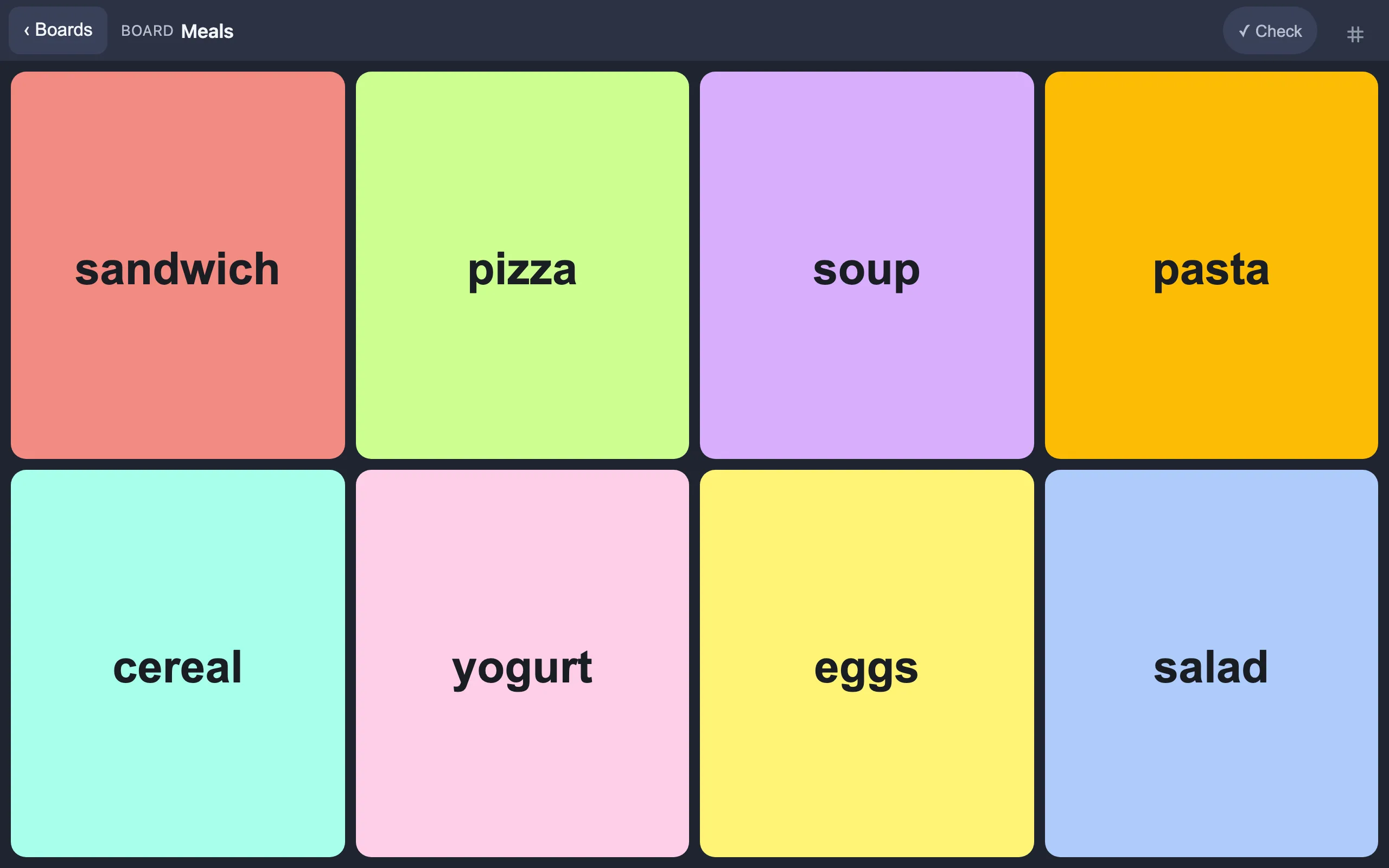
Visual participation support for tablets. ButtonGriddle turns a tablet into a set of choice boards - one per context (meals, activities, clothing, whatever the day holds) - where each button is a photo and a phrase. Tap a button and the tablet speaks it aloud. A Yes / No / Not sure check screen helps staff confirm understanding in the moment.
It supports communication, but it isn't an AAC or speech-generating app. The goal is easier participation: fewer spoken directions to process, clearer choices, less guessing on both sides. Whoever supports the person - an OT, SLP, teacher, DSP, or family member - builds the boards in a passcode-protected edit mode: snap photos of the person's actual items, set the phrases, arrange the grid. Day to day, staff just present choices.
Everything stays on the device
No account, no cloud, no tracking. The app works fully offline after install, and board photos leave the tablet only inside backup files you export yourself. There is nothing to sign up for and nothing being collected.
Try it
Open ButtonGriddle →Runs right in the browser - nothing to sign up for. Built for Chrome on Android tablets; desktop Chrome works fine for a first look.
To install it as an app on a tablet:
- Open the link above in Chrome on the tablet.
- Menu (⋮) → Add to Home screen / Install app.
- Launch it once from the new icon - after that it works with no internet.
To start building boards, tap the faint ⌗ in the top-right corner 7 times and set a passcode. The full walkthrough - setup, daily use, and recovery steps - is in the built-in guide.
Status
Early prototype, actively developed. If you try it and something is confusing, missing, or in the way, I'd genuinely like to hear about it: jason@marsh.city.
ButtonGriddle is a general participation support tool, not a medical device.