WhatCanHelp
A free assistive technology discovery tool with thousands of products from hundreds of manufacturers, freeform AI intake, complexity-tier guidance, plain-language descriptions, state-by-state borrow and funding directories, and exportable PDF reports for funding meetings and IEP appendices.
I’m the Director of Technology at Lighthouse Center for Vital Living, a nonprofit in Duluth that serves people with disabilities and aging populations. Part of that work is assistive technology - evaluating devices, configuring them for clients, running an AT lending library, answering colleagues’ questions about what works. WhatCanHelp grew out of a question I kept coming back to: what would it look like if the AT industry had better discovery tools?
I built a free tool that brings together thousands of assistive technology products from hundreds of manufacturers in one searchable place: AI-written plain-language descriptions, a freeform intake that produces a matched shortlist, state-by-state directories for borrowing devices and finding funding, and PDF reports designed for funding meetings and IEP appendices. No account required, and no cookies or personal tracking.
The interface
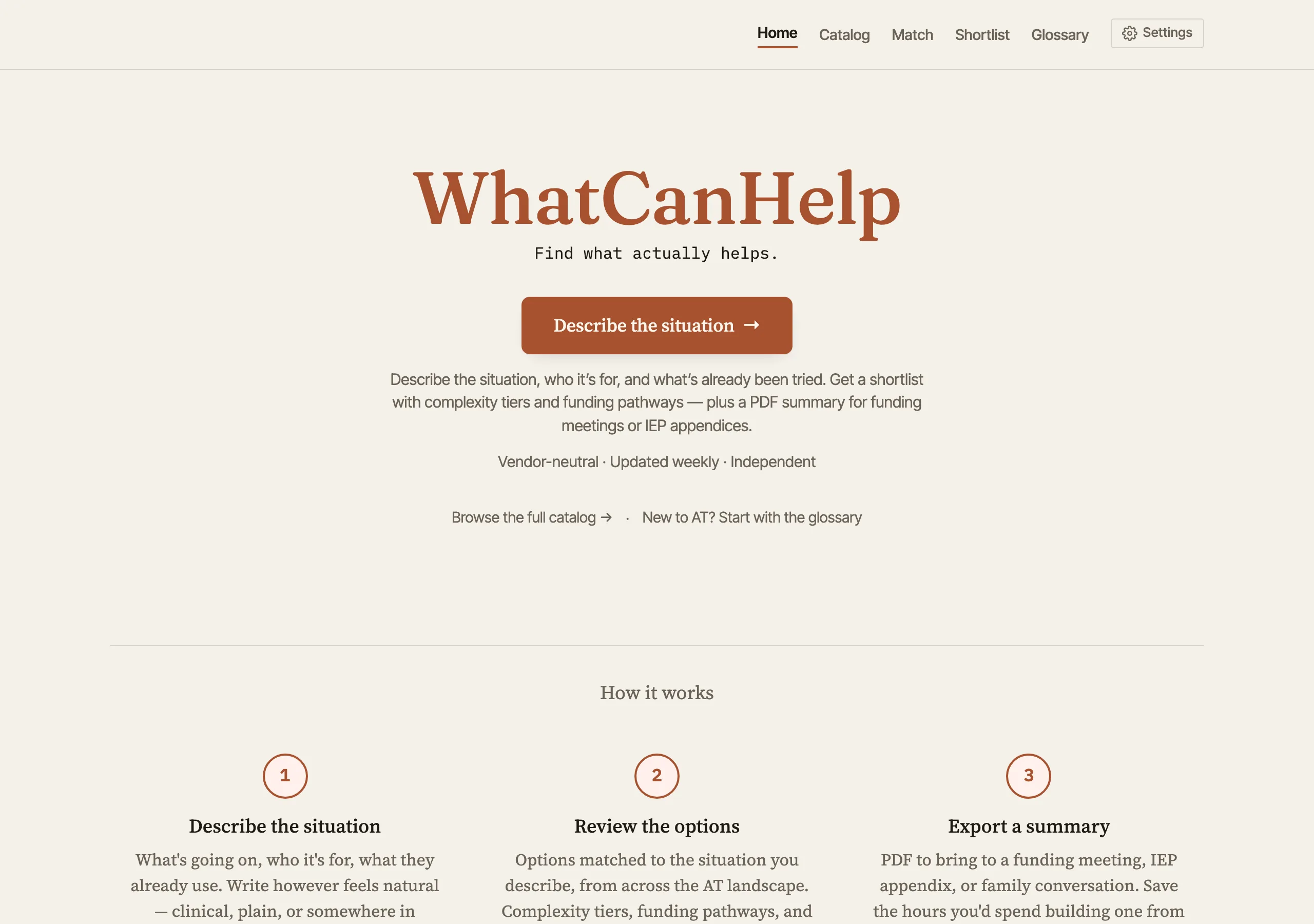
The landing page leads with one action, “Describe the situation,” and a three-step outline of what happens next: describe, review, export. The full catalog and the glossary are one link away for people who’d rather browse.
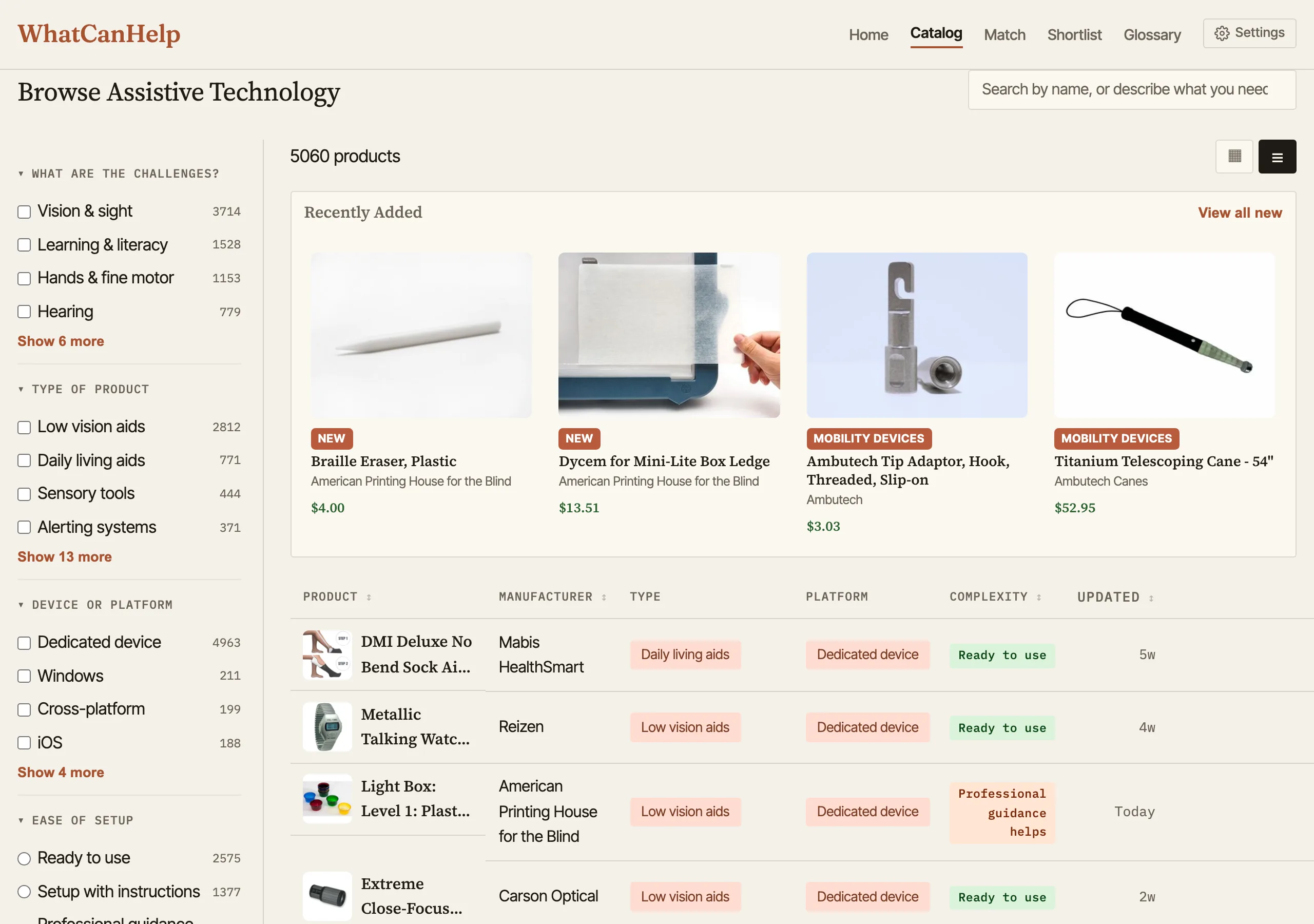
The catalog lists thousands of products with faceted filters along the side: challenge area, product type, device or platform, ease of setup, price range, age group, manufacturer, and funding sources. A “Recently Added” thumbnail strip surfaces new products with category badges. Below that, a dense table view with manufacturer, type, platform, complexity tier, and how recently each entry was updated. A card grid view is one toggle away, and you can share filtered views or export results as CSV.
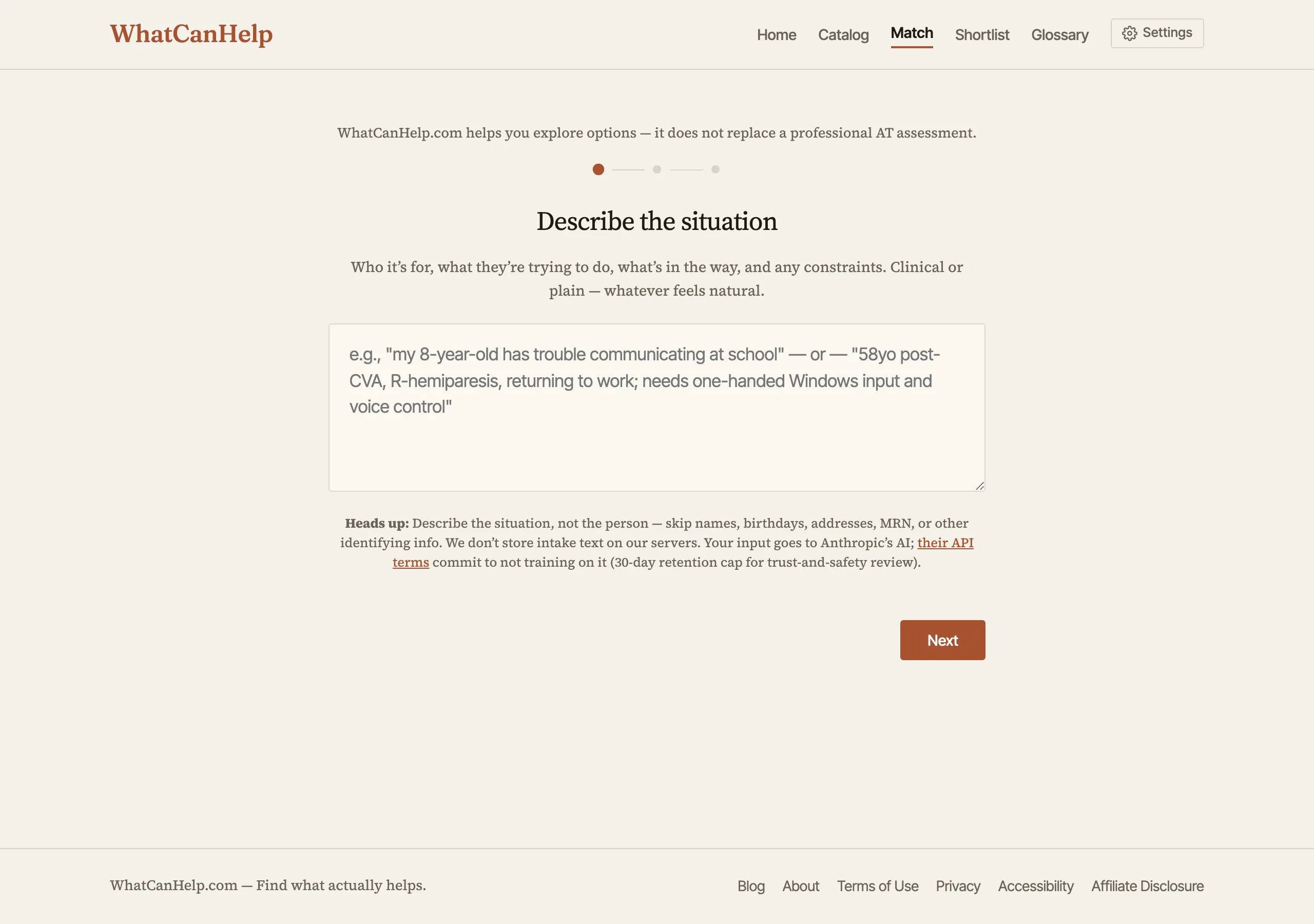
The intake is freeform. One textarea, prompted with “Who it’s for, what they’re trying to do, what’s in the way, and any constraints. Clinical or plain - whatever feels natural.” An AT specialist can write “58yo post-CVA, R-hemiparesis, returning to work; needs one-handed Windows input and voice control.” A parent can write “my 8-year-old has trouble communicating at school.” Both get the same matching engine. A privacy note explains that input goes to Anthropic’s API under their no-training terms, and intake text is not stored on the server.
I tried a structured checkbox flow first. It looked tidy and felt rigid - the real situations people brought me never fit cleanly into the boxes. Freeform text trusts the user to describe what’s actually going on; Claude does the structured extraction on the backend.
Complexity ratings
Every product is rated on a four-tier scale:
| Tier | Meaning |
|---|---|
| Ready to use | Works on its own with no setup or training |
| Setup with instructions | Some configuration needed, but a tutorial gets you there |
| Professional guidance helps | You can start alone, but a pro gets much better results |
| Professional setup required | Needs professional assessment and configuration |
The badges show up everywhere - catalog, detail pages, reports. Whether someone (or their support network) can realistically set a device up and keep it working matters as much as whether it fits the need, so the tier sits right next to the match.
Product detail and AI descriptions
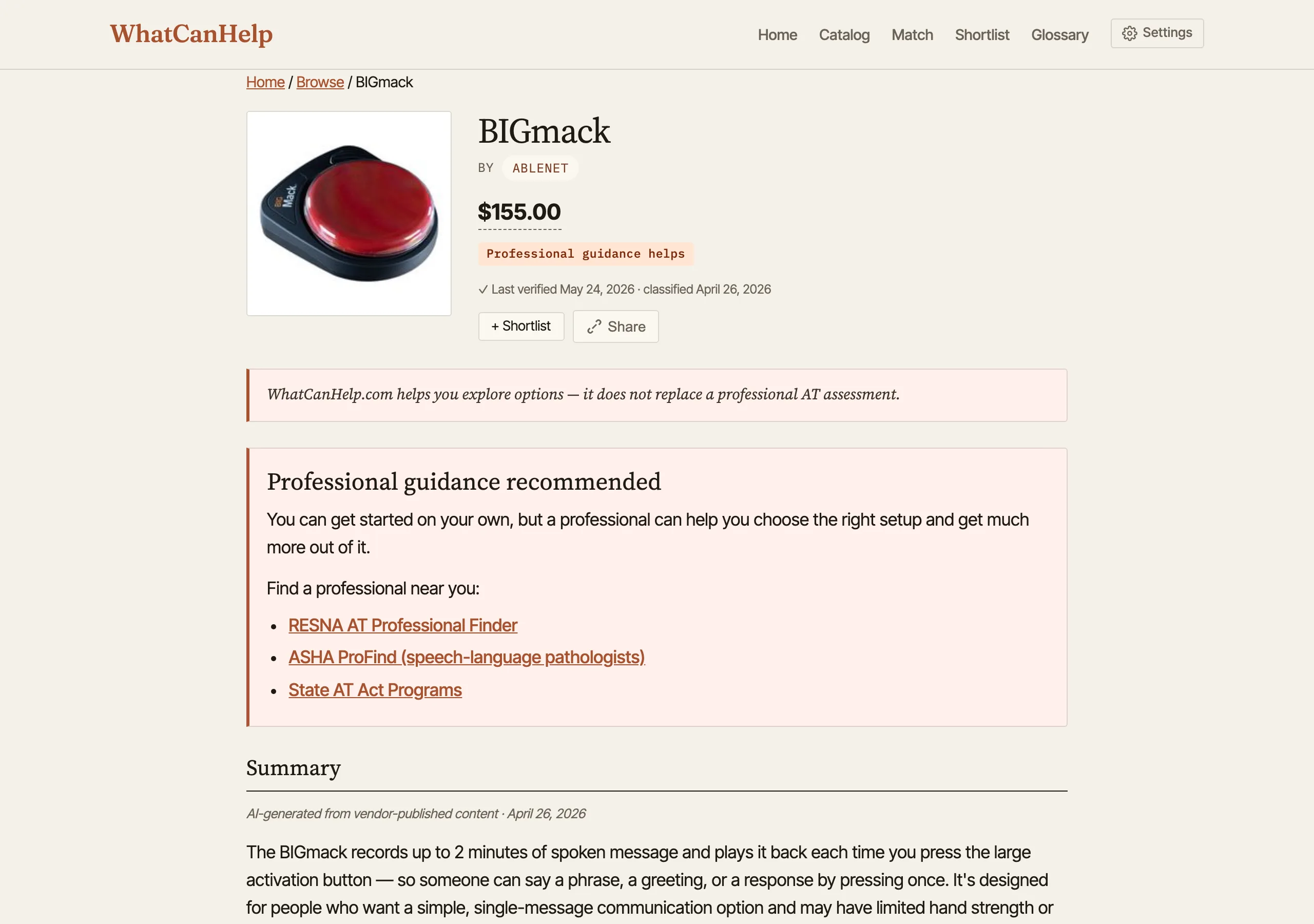
Each product page leads with price, manufacturer, complexity tier, and when the entry was last verified. For tiers that benefit from a clinician, a callout near the top points to RESNA’s AT Professional Finder, ASHA ProFind for SLPs, and State AT Act Programs. Below that, a Claude-generated summary (reviewed and stored, not generated on the fly) plus a “What setup looks like” walkthrough, and the full classification across needs, product type, platforms, and funding sources.
Descriptions are written to be understandable without AT industry jargon - useful for families and clients researching on their own, and faster to skim for professionals who already know the landscape. AT terminology throughout the site is highlighted with plain-language glossary definitions on hover.
Glossary with peek drawer
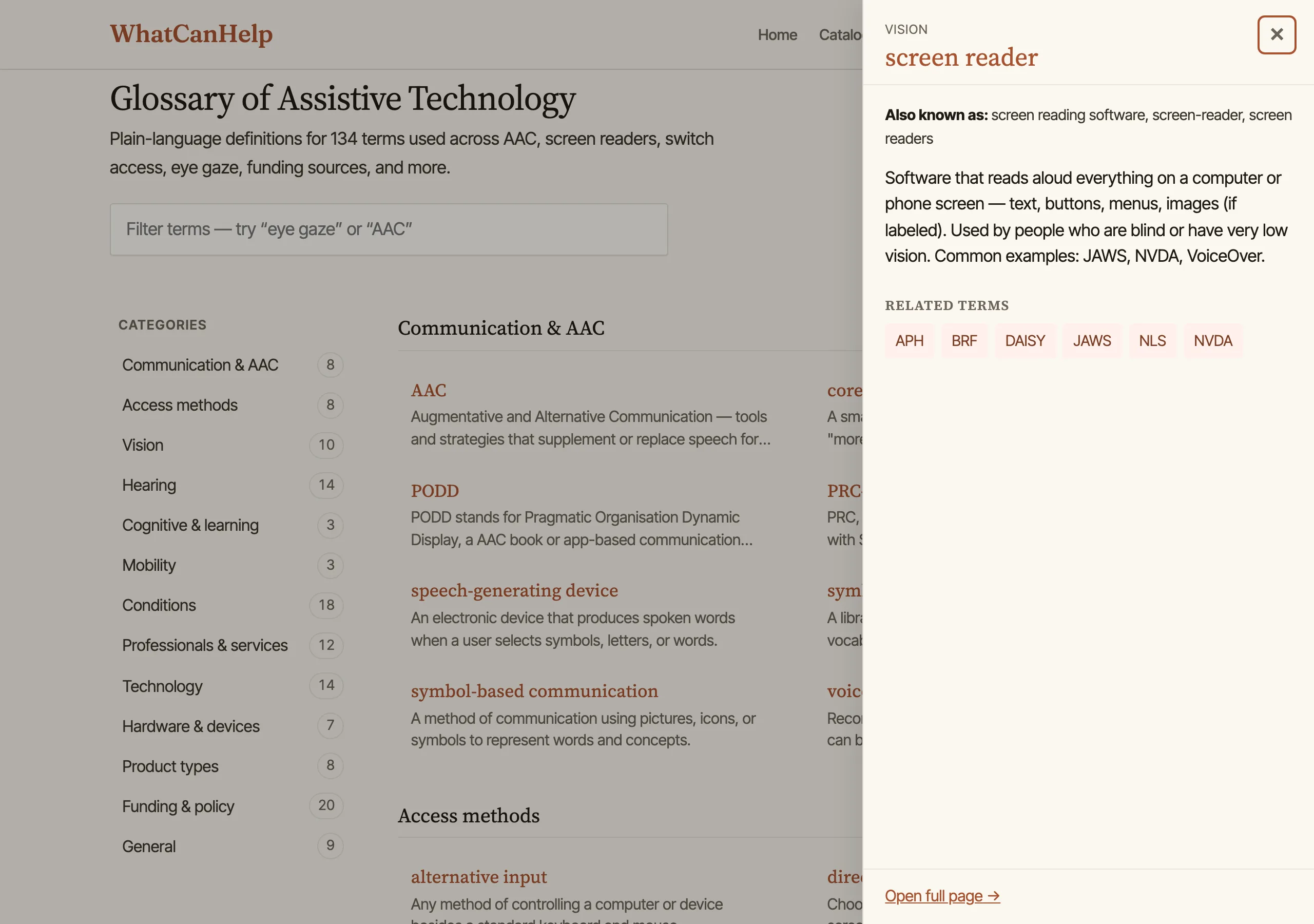
The glossary is 134 plain-language definitions covering AAC, screen readers, switch access, eye gaze, funding sources, and the alphabet soup of credentials (ATP, CLVT, TVI, SLP, OT). Clicking any term opens a side drawer (bottom sheet on mobile) with the definition, aliases, and related-term chips - no full page navigation. The URL syncs to ?term=<slug> so peeks are shareable and the back button closes the drawer.
Term pages also gain a “Products in our catalog that use this” section: a reverse lookup that filters with word boundaries (so OT doesn’t match “robot”) and ranks name-matches above description-matches (so JAWS beats textbooks that merely mention screen readers).
Borrow before you buy
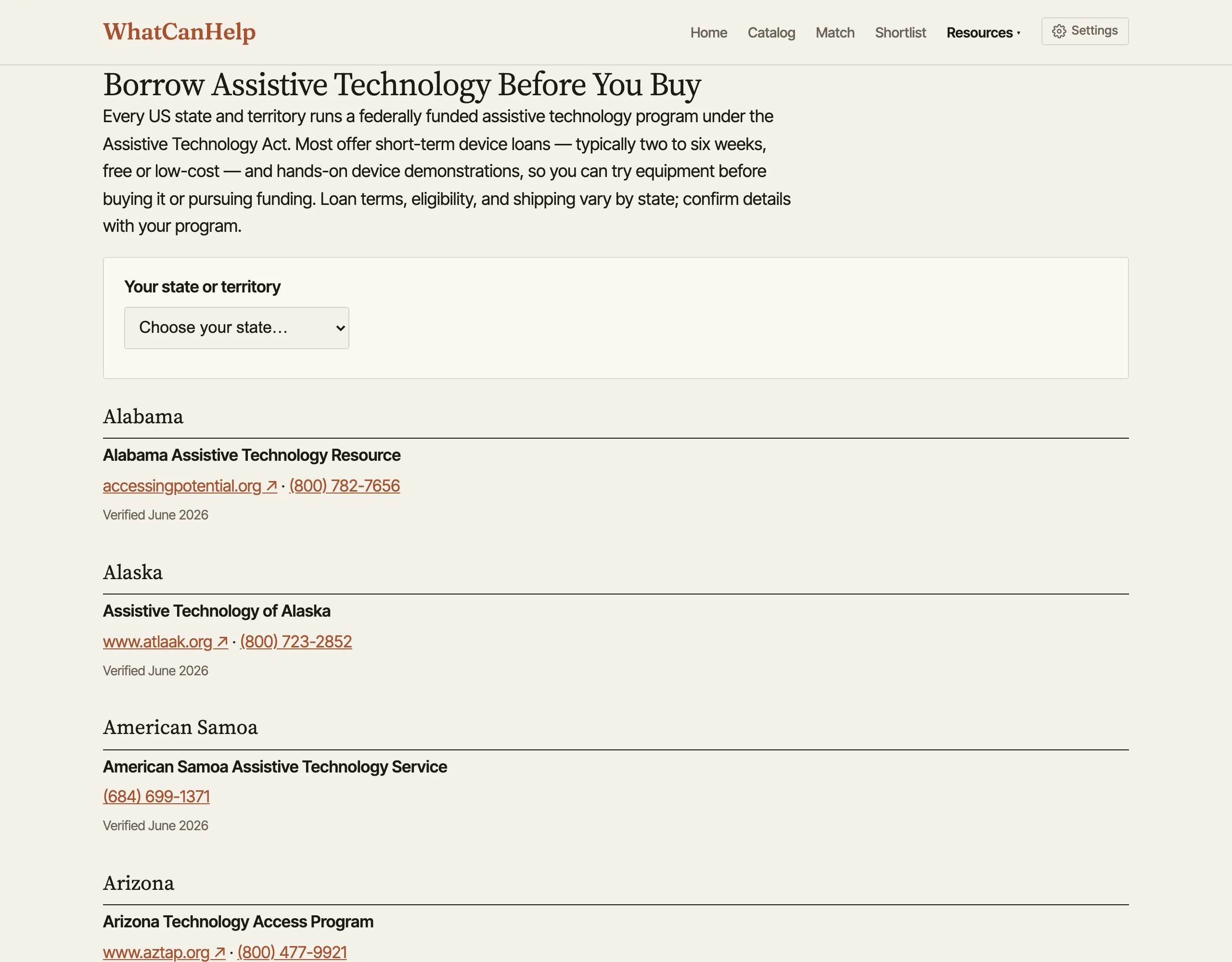
Every US state and territory runs a federally funded AT program under the Assistive Technology Act, and most offer short-term device loans - usually two to six weeks, free or low-cost - plus hands-on demonstrations. Trying a device for a month is a much better basis for a decision than a product listing. The borrow directory maps all 56 programs: who they are, how to reach them, and a “verified” date on each listing so the contact details aren’t quietly rotting. When intake signals that someone wants to try before buying, lending surfaces first in the results.
Funding pathways
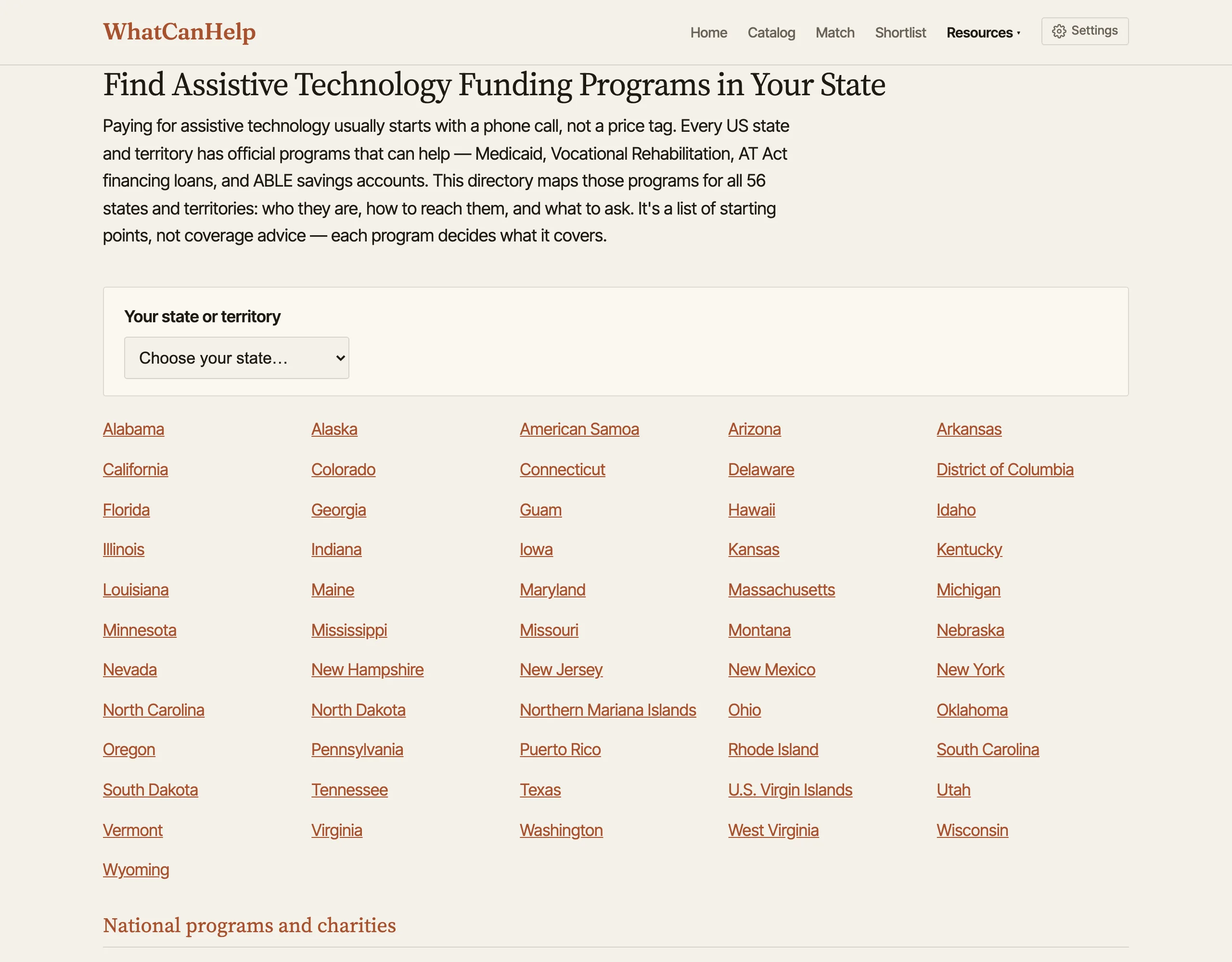
Every state has official routes for paying for assistive technology - Medicaid and its waivers, Vocational Rehabilitation, AT Act financing loans, ABLE savings accounts - and most people never hear about them. The funding directory covers all 56 states and territories: who to contact and what to ask. Each program decides what it covers, so these are starting points, not coverage advice. The same data drives “How to fund this” panels on product and intake-result pages and a funding section in every PDF report.
PDF reports
After intake, the tool generates a PDF report: a summary of the person’s profile, matched products with explanations, complexity warnings, guidance notes, and the funding pathways that apply. They’re formatted to hand to a funding committee, attach to an IEP, or share with a family.
Journey guides
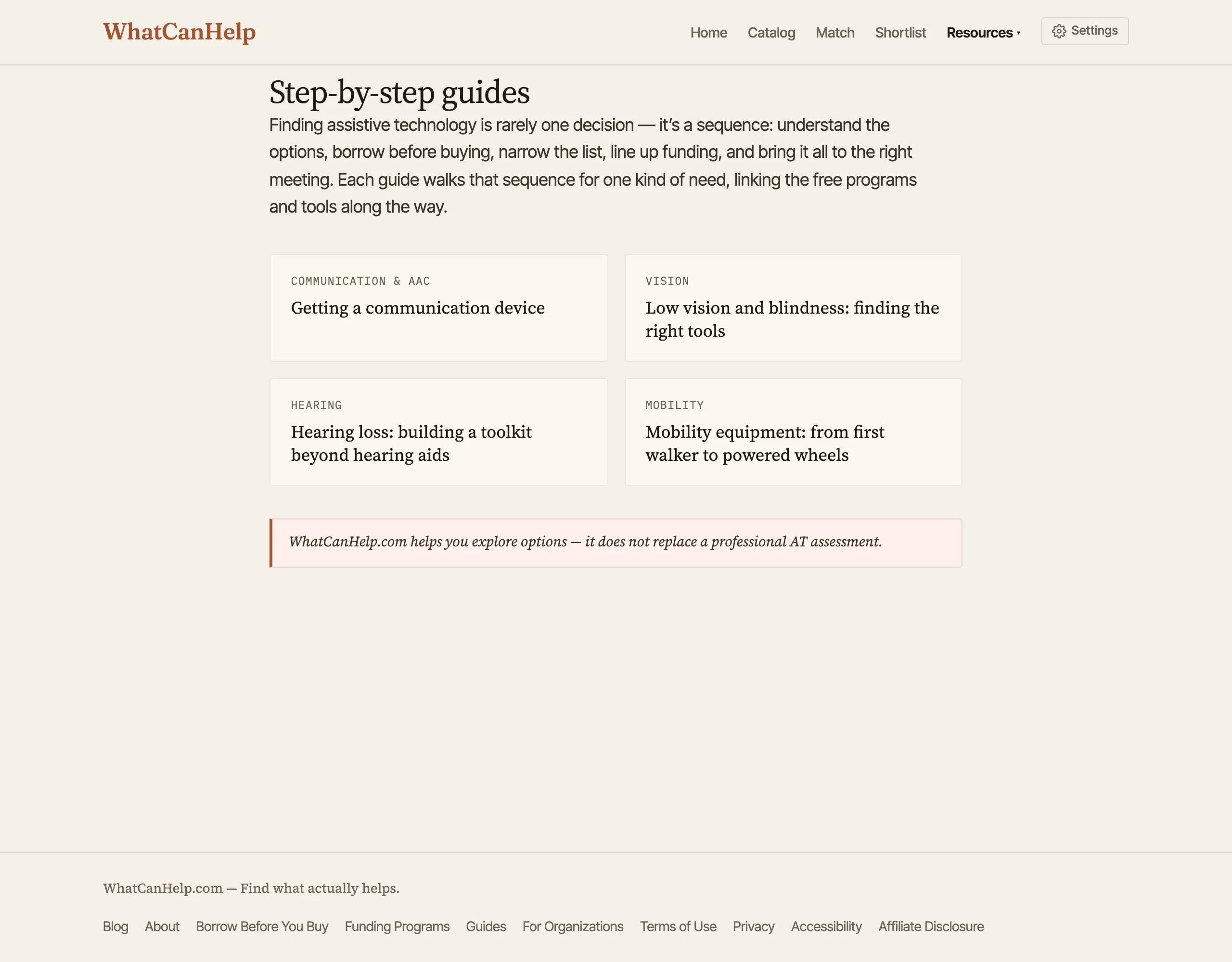
Getting AT usually takes several steps: understand the options, borrow before buying, narrow the list, line up funding, and bring it all to the right meeting. The journey guides walk through those steps for one kind of need at a time - communication, vision, hearing, mobility - linking the glossary, lending programs, intake, funding, and report along the way. They’re written for someone who knows the goal (“get my kid a communication device”) but not how to get there.
Accessibility controls
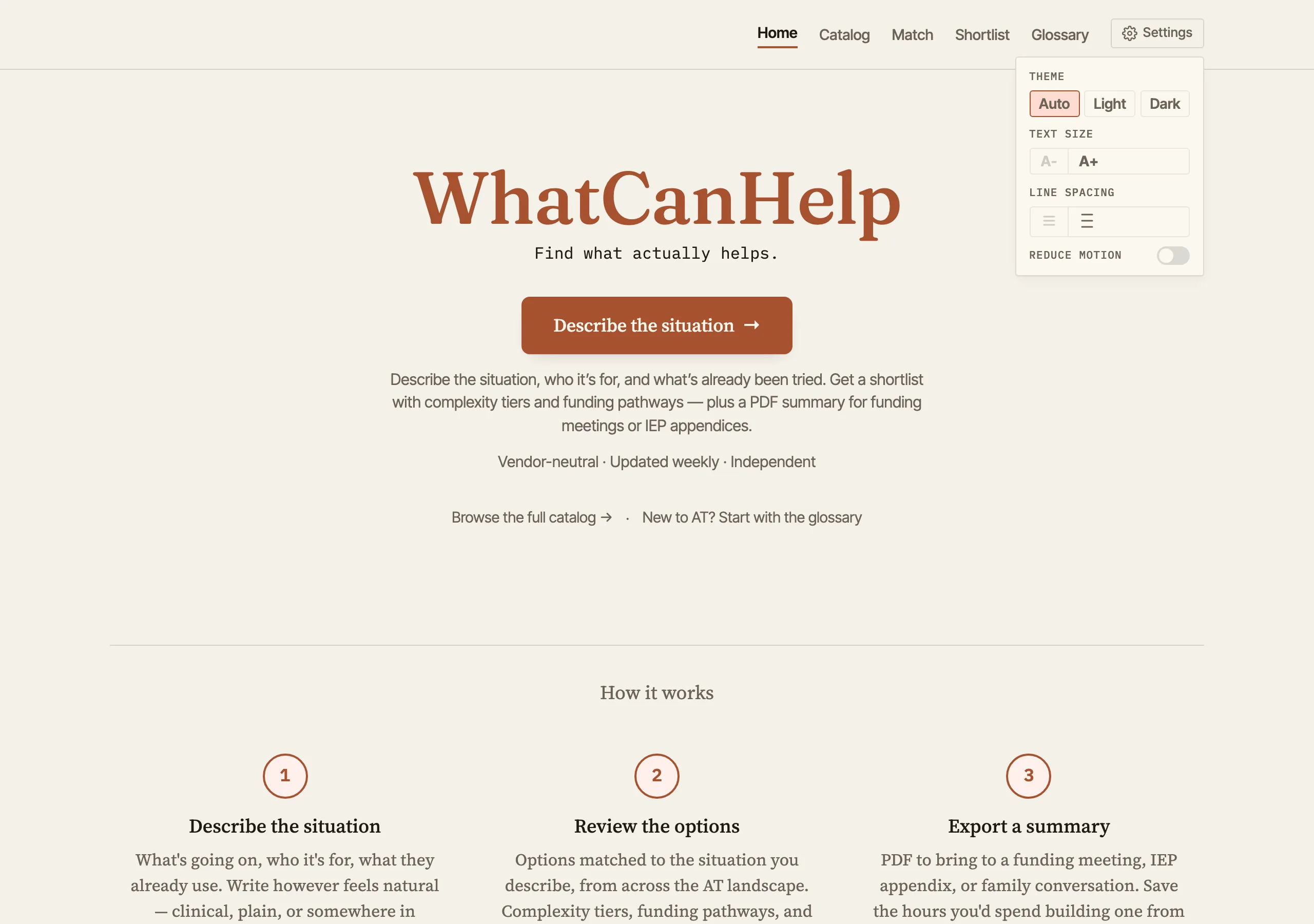
A settings dropdown in the header offers theme switching (auto, light, dark), text size adjustment, line spacing controls, and a reduce motion toggle. The sizing uses relative units throughout, so scaling up doesn’t break layouts. The color system targets WCAG AA contrast ratios across all themes.
Blog
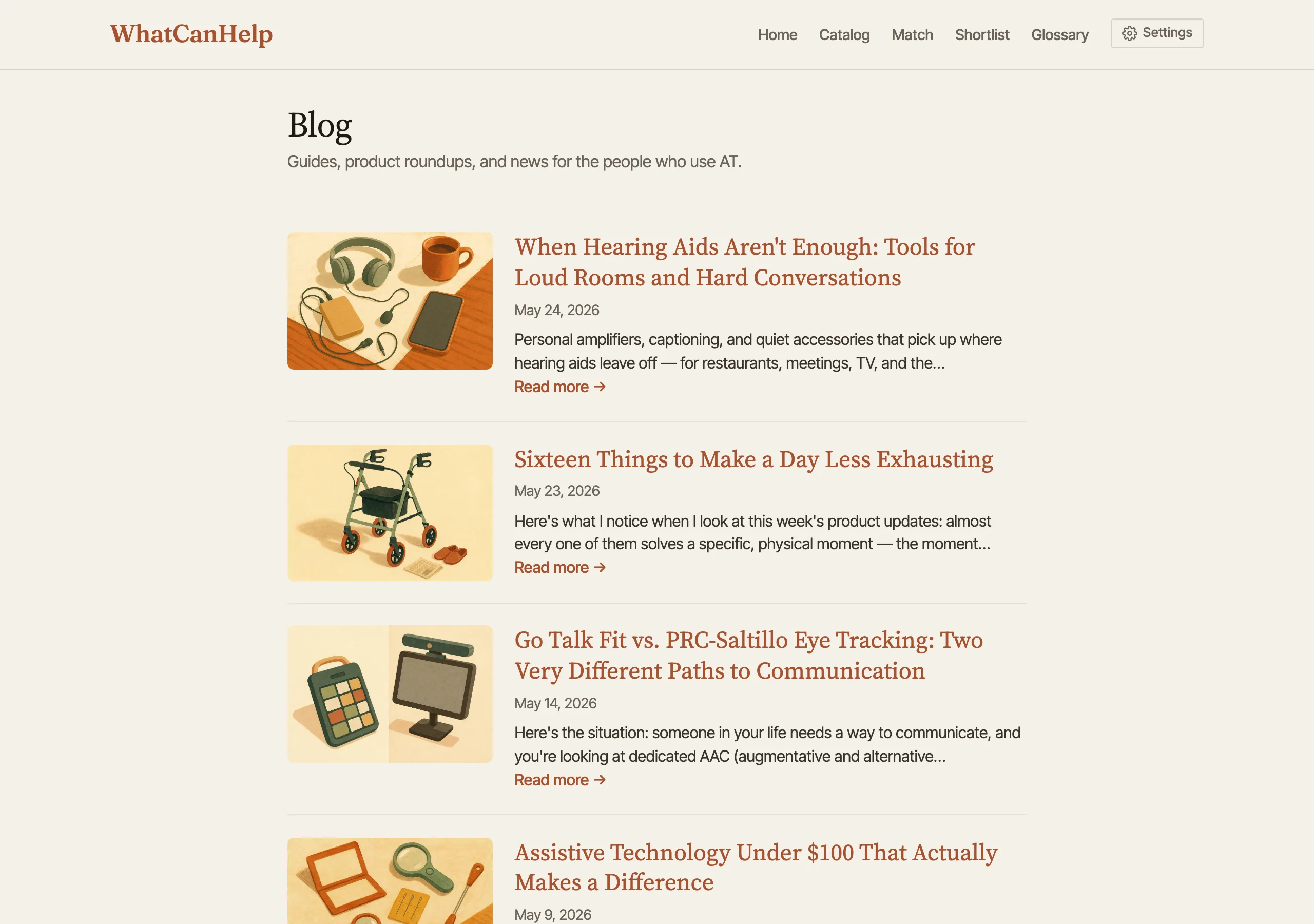
The blog runs guides, product roundups, and news for the people who actually use AT and the professionals who guide them. Posts get their own hero images and pull in product thumbnails inline - hovering a product reference shows a catalog-style preview card, so you can scan a roundup without losing your place.
How it’s built
Node.js and Express, SQLite, vanilla JavaScript on the frontend. The Anthropic API powers product descriptions, intake matching, and classification. A pluggable scraper framework pulls product data from two dozen manufacturer and retailer sites - the multi-brand retailers among them are why the catalog spans 350+ distinct manufacturers - with content hashing for change detection and a staleness-ordered weekly update cycle that prioritizes the oldest entries within a soft time budget.
The taxonomy is tag-based across seven dimensions: need, solution type, platform, complexity, price band, funding eligibility, and age range. Products can be tagged across multiple needs without being duplicated, which avoids rigid category structures.
flowchart TD
  A[Scraper framework] --> B[Product database]
  B --> C[Claude API]
  C --> D[Descriptions + classification]
  D --> B
  B --> E[Intake wizard]
  E --> F[AI matching]
  F --> G[Results + PDF report]
Updates
2026-06-15
Three additions around the core recommendation: borrowing, funding, and guided journeys. A borrow directory maps all 56 state and territory AT Act lending programs, so people can try a device before buying it. A funding directory maps the Medicaid, Vocational Rehabilitation, AT Act loan, and ABLE routes for the same 56 jurisdictions, and now drives “How to fund this” panels on products and a funding section in every PDF report. Step-by-step journey guides walk one kind of need (communication, vision, hearing, mobility) through the whole sequence, linking the glossary, lending programs, intake, funding, and report. The catalog grew to 5,502 products across 350+ manufacturers. Under the hood: an accessibility axe-gate across two dozen surfaces, ‘unsafe-inline’ dropped from the script CSP, an SSRF guard on scraped images, an AI kill switch with per-pool budgets, and daily database backups with a tested restore.
2026-05-25
Pivoted toward a professional audience (AT specialists, SLPs, OTs, educators) without losing the family-and-self-advocate doorway. Intake collapsed from a multi-step checkbox flow into one freeform “Describe the situation” textarea. Catalog grew to 5,060 products from 23 vendors. Detail pages added price, shortlist + share buttons, and a professional-finder callout pointing to RESNA, ASHA ProFind, and State AT Act Programs. Glossary gained a peek drawer with shareable URLs and a reverse “products that use this term” lookup on term pages. Blog posts now ship with hero images and inline product hover previews. Fresh screenshots throughout.
2026-05-09
Live at WhatCanHelp.com. 3,600+ products from 20 vendors browsable with faceted filters, guided intake, PDF reports, glossary, blog, and accessibility controls. Fresh screenshots and project page revision to match the shipped product.
2026-04-26
Project page is up. Still in active development - current focus is data cleanup, normalizing product records and testing the intake matching pipeline. Exploring when to publish publicly.