DailyDungeon
I like old-school games, and Shattered Pixel Dungeon got me wanting to make my own spin on one. DailyDungeon is that: a dungeon crawl played one floor at a time, built so I can keep adding whatever I find interesting.
You pick a Warden or a Lamplighter and head down. Tap a tile to walk there, tap a monster next to you to fight it, touch and hold anything to see what it is. HP doesn’t come back on its own, so supplies matter. Most floors have an omen that changes the rules a little. Die, and you can try the floor again, but what you found there waits in a grave sack where you fell.
Open DailyDungeon full screen. It’s made for phones: open it there and use Add to Home Screen, and it plays like an app, offline too, with your saved game kept safer than in a browser tab.
The daily version
The version here is single-player. The one I play with a friend is a daily floor: we both get the same floor, each of us plays it whenever it suits, and the next one opens once we’ve both finished. I wanted a roguelike to play low-pressure with a friend, and async because that’s what fits around everything else.
SpriteLab
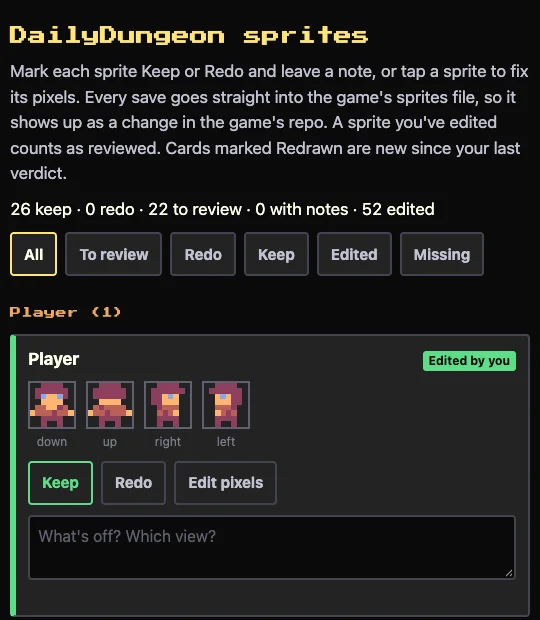
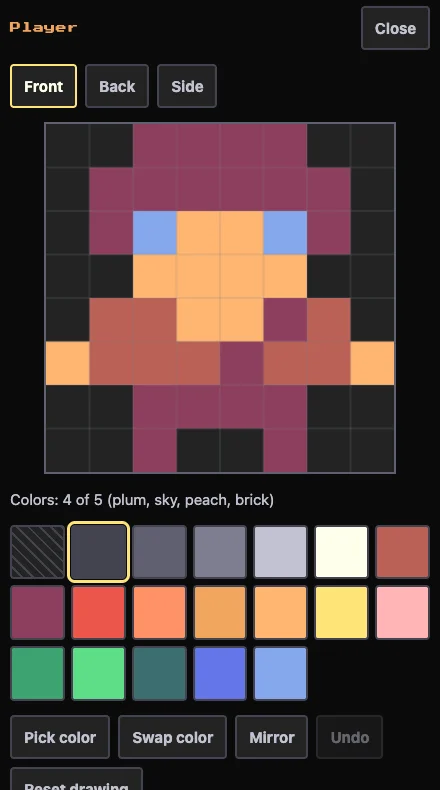
Every sprite in the game is 8×8 pixels from one 19-color palette, with at most five colors in any one sprite. They’re drawn in SpriteLab, a small editor I built for the game’s art. It lists every sprite the game needs, lets me mark each one Keep or Redo with a note, and opens any of them for pixel editing. A save goes straight into the game, so a redrawn monster is there the next time the game loads.
Give it a try. If you have any feedback, feel free to email me.